






Updated: 24 November 2026
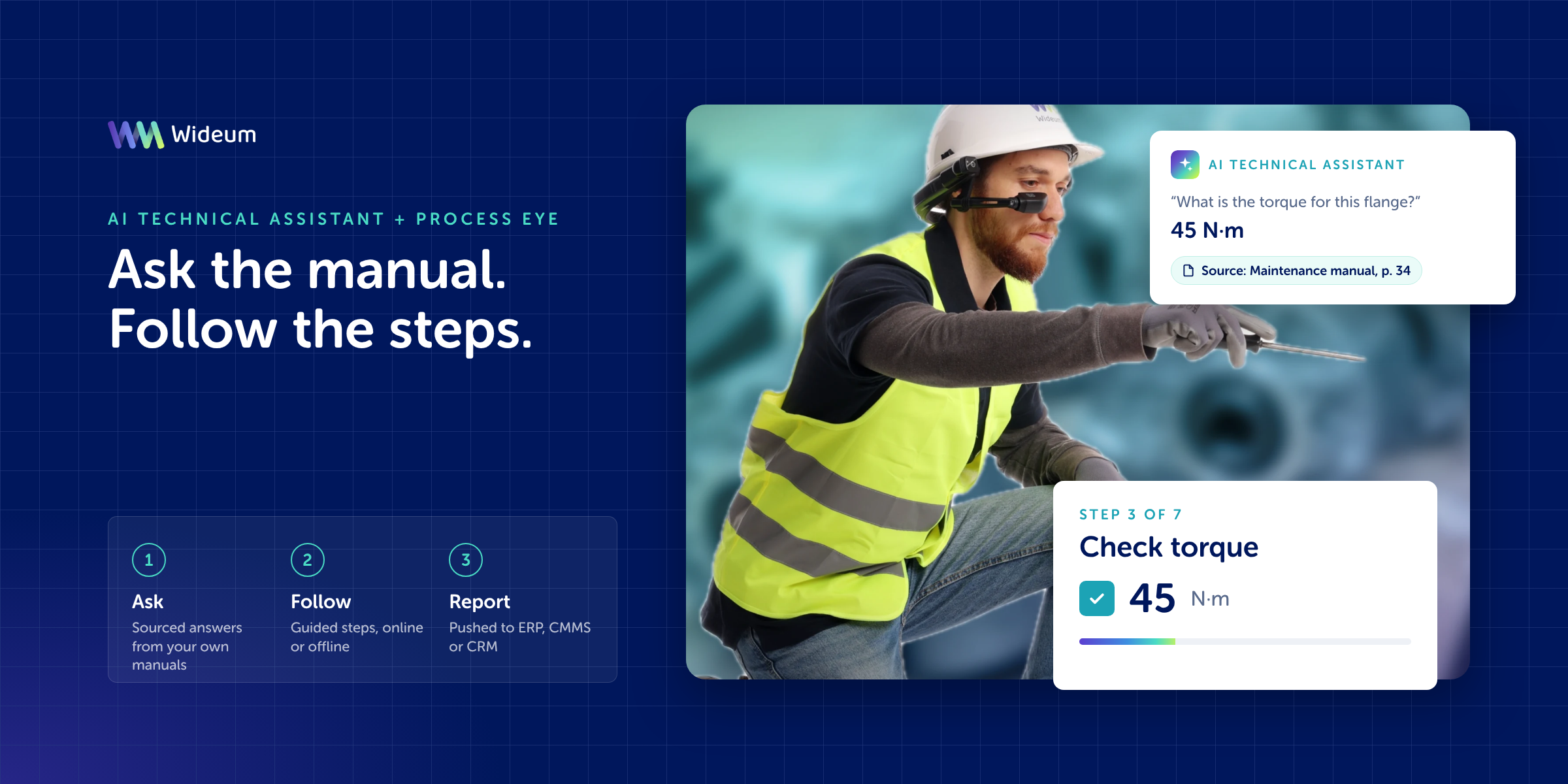
An AI technical assistant answers technicians’ questions using the company’s own manuals, procedures, reports, diagrams and drawings, by text or voice, including on smart glasses, and always cites the source (Wideum). Process Eye then turns that knowledge into a guided step-by-step workflow that technicians follow hands-free, online or offline, one step at a time (Wideum). Each job captures visual evidence and produces a report that is pushed to ERP, CMMS or CRM (Wideum).
What does an AI technical assistant actually do?
It searches the documents your company already owns and answers with a reference to the document it used. Wideum describes its AI technical assistant as an add-on for Remote Eye and Process Eye that answers from a company’s own manuals, procedures, reports, diagrams and drawings, by text or voice, and always cites the source (Wideum).
In practice, a technician in front of a machine asks a question such as “what is the torque for this flange?” or “which fault code matches this symptom?”. Instead of searching through PDFs or calling a colleague, the technician gets a short answer and a reference to the manual or report the answer comes from.
This matters because, as BCG notes, much of the knowledge that underpins field service is locked away in spreadsheets, tribal memory or paper manuals (BCG, 2025). An assistant that only works with approved company documents gives technicians a single place to ask, and the citation lets them check the original text before acting.
Why sourced answers are more useful than generic AI answers
A cited answer can be verified; an uncited one has to be trusted blindly. BCG states that technicians need to understand why a system made a recommendation, especially if they are asked to act on it (BCG, 2025). Showing the source document is the most direct way to provide that explanation on the shop floor. In our editorial view, a general-purpose chatbot trained on public internet data is a poor fit for maintenance work, because it knows nothing about your specific equipment revisions, internal procedures or past service reports.
How does Process Eye turn manuals into a step-by-step workflow?
Process Eye converts inspection and maintenance procedures into guided workflows on smart glasses, phones and tablets that are hands-free, traceable and checked by AI as the work happens (Wideum).
Where the AI technical assistant answers questions, Process Eye structures the job itself. A procedure becomes a sequence of steps, each with its instruction, the checks it requires and the evidence it must capture. The technician sees one step at a time and can work online or offline (Wideum).
What happens at each step
Each step can combine instructions, checks, readings and evidence capture. According to Wideum, the main elements are:
- Visual evidence: Process Eye captures visual evidence that tasks were executed correctly (Wideum).
- AI verification of critical steps: its AI engine uses image recognition to verify the correct execution of the most critical steps of a task (Wideum).
- Readings without typing: AI recognises text and reads digital meters, QR codes and barcodes (Wideum, Process Eye shop page).
- Spoken notes: voice-to-text transcription turns comments and annotations into text that is added to the report (Wideum, Process Eye shop page).
- Object verification: an optional computer vision add-on trained on the customer’s own parts and tools detects, locates and counts objects in live video and verifies each critical step before the operator moves on (Wideum).
From completed job to quality record
Every completed workflow produces a report that lands in the systems quality and maintenance teams already use. Wideum states that the Process Eye report is synced to the cloud or the customer’s servers and pushed to ERP, CMMS or CRM (Wideum). In our view, for quality sign-off this gives reviewers a record of each step with its photos, readings and comments, rather than a paper checklist filled in after the fact. How sign-off is organised (who approves, at what stage) remains a decision for each company’s quality process.
How do the two tools work together in 2026?
The assistant answers the unexpected question; the workflow keeps the standard job on track. Wideum offers the AI technical assistant as an add-on to both Remote Eye and Process Eye (Wideum). A typical combined flow looks like this:
- The technician opens a Process Eye maintenance workflow on the glasses.
- At a step that raises a doubt, the technician asks the assistant by voice and receives an answer citing the relevant manual or report.
- The technician completes the step, captures the required photo or reading, and the AI checks the critical steps.
- The finished report is synced and sent to ERP, CMMS or CRM.
- If neither the workflow nor the documentation resolves the issue, the technician escalates to a remote expert through Remote Eye.
What results have been reported for AI-guided field work?
The results below are published by BCG about its own solutions and clients, so they should be read as vendor claims, not as benchmarks. BCG reports that at a large European rail operator using XR glasses with its own Field Service AI product, experienced workers improved task efficiency by 20% within a month and newer technicians by nearly 30% (BCG, 2025). BCG also reports a client case in which a renewable-energy operator’s GenAI knowledge management product for service history lookup and troubleshooting delivered a 5% to 10% boost in daily productivity and a 15% to 20% reduction in job duration (BCG, 2025). These figures are claims by BCG about its own solutions and clients, not Process Eye or any other product.
Which smart glasses run these workflows hands-free?
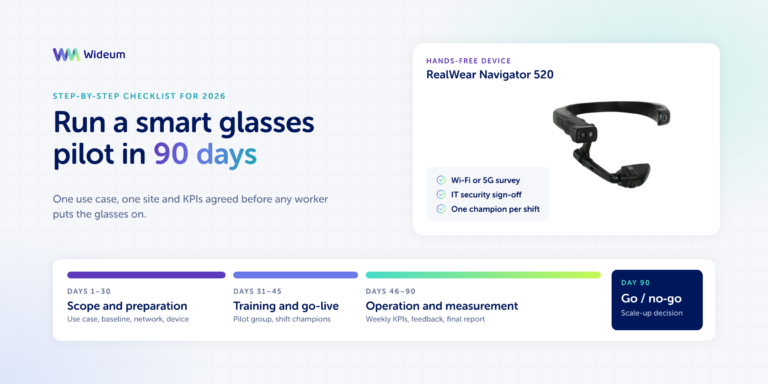
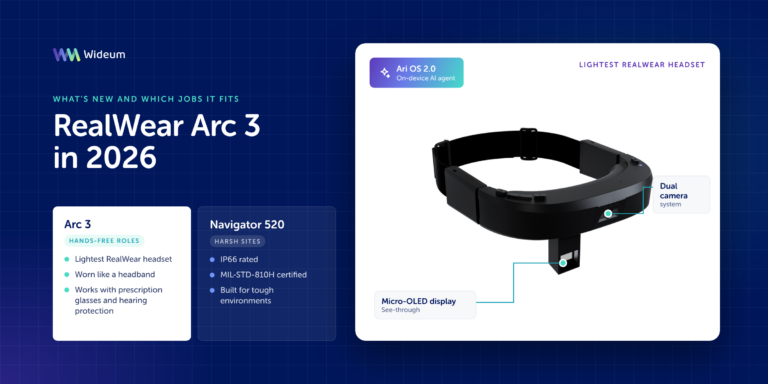
Wideum supplies RealWear Navigator 520 and Vuzix M400 glasses configured and ready to use with Remote Eye and Process Eye, with support included. Both are worn by technicians who need their hands free while following instructions and capturing evidence.
| Feature (manufacturer data) | RealWear Navigator 520 | Vuzix M400 |
|---|---|---|
| Form factor | Rugged, voice-controlled assisted reality headset, worn around the head or attached to a hard hat (RealWear) | Smart glasses positioned for field service and maintenance (Vuzix) |
| Ingress protection | IP66 (RealWear) | IP67 against water and dust (Vuzix) |
| Ruggedness | MIL-STD-810H certified (RealWear) | 2-metre drop safety (Vuzix) |
| Operating temperature | -20°C to 45°C (RealWear) | Wide operating temperature range (Vuzix) |
| Camera | 50 MP main camera, 82° field of view, Sony LYT-600 (RealWear) | — |
| Audio | Four digital microphones with active noise cancellation up to 100 dBA (RealWear) | — |
| Battery | Replaceable in the field without powering down (RealWear) | — |
| Security / management | Qualcomm Trusted Execution Environment, Secure Boot, Crypto Engine (RealWear) | — |
| Software support | — | Support planned through 31 December 2028 (Vuzix) |
| Best fit (our assessment) | Loud, harsh environments and hard-hat sites where voice control and a hot-swappable battery matter | Field service and maintenance work where a glasses form factor matters |
Choosing between them
Choose by environment and IT requirements rather than by a single specification. In noisy plants, RealWear’s noise cancellation up to 100 dBA (RealWear) is relevant for voice commands and voice questions to the assistant. For long support cycles, factor in Vuzix’s planned support window (Vuzix).
How is company data protected?
The main control is where the system runs: on Wideum’s cloud, on the customer’s own servers, or in a private network with no internet access (Wideum). Because the AI technical assistant works from internal manuals, drawings and service reports, the deployment model decides who can reach that content. Reports follow the same logic: they sync to the cloud or to the customer’s servers before being pushed to business systems (Wideum).
According to Wideum, the company holds ISO 27001 and SOC 2 certifications. On the device side, RealWear lists Qualcomm Trusted Execution Environment, Secure Boot and a Crypto Engine among the Navigator 520’s security features (RealWear).
Before loading documents, it is worth deciding which manuals and reports the assistant may use, removing obsolete revisions, and aligning access with existing user roles.
How accurate is it, and where are human experts still needed?
In our view, accuracy depends on the quality of the source documents, and technicians remain responsible for the final decision. BCG argues that field technicians must stay in the loop: if a model flags the wrong failure mode, the technician should identify the mistake and feed it back into the system (BCG, 2025). Source citations (Wideum) make that check practical, because the technician can open the referenced document instead of accepting an answer at face value.
In our assessment, human experts remain essential in these situations:
- Faults not covered by any document. The assistant can only answer from what exists in the company’s documentation.
- Safety-critical decisions. Lock-out, isolation and permit decisions should follow the company’s safety procedures and authorised staff.
- Conflicting or outdated documents. If two manuals disagree, a qualified engineer decides which one applies.
- Final quality approval. AI checks critical steps (Wideum), but sign-off belongs to the person accountable under the quality system.
- Complex troubleshooting. When a technician is stuck, a remote expert session through Remote Eye adds live video and AR annotations.
Common mistakes and how to avoid them
| Problem | Solution |
|---|---|
| Loading every document ever written, including old revisions | Curate a controlled document set and retire superseded versions |
| Treating AI answers as final | Require technicians to check the cited source on critical steps |
| Digitising a paper checklist without redesigning it | Rebuild the procedure as discrete steps with defined evidence and checks |
| Choosing glasses before defining the environment | Assess noise, PPE, temperature and IT management needs first |
| Ignoring feedback from technicians | Give technicians a way to flag wrong answers so documents can be corrected |
Key points
- Wideum’s AI technical assistant answers from a company’s own manuals, procedures, reports, diagrams and drawings, by text or voice, including on smart glasses, and always cites the source (Wideum).
- Process Eye turns inspection and maintenance procedures into hands-free, traceable workflows checked by AI as the work happens (Wideum).
- Process Eye captures visual evidence and saves data and reports in ERP, CRM and CMMS systems (Wideum).
- Process Eye can run on Wideum’s cloud, on the customer’s servers, or in a private network with no internet access (Wideum).
- The RealWear Navigator 520 is IP66-rated and MIL-STD-810H certified, operating from -20°C to 45°C (RealWear).
- Vuzix states the M400 has IP67 protection and 2-metre drop safety (Vuzix).
- BCG argues technicians must stay in the loop and correct the model when it flags the wrong failure mode (BCG, 2025).
To test the AI technical assistant and Process Eye with your own procedures on RealWear or Vuzix glasses, request a free trial or contact the Wideum team.
Frequently asked questions
Does the AI technical assistant use public internet data?
Wideum describes the assistant as answering from the company’s own manuals, procedures, reports, diagrams and drawings, always citing the source (Wideum).
Can technicians follow Process Eye workflows without a network connection?
Yes. Wideum describes technicians following Process Eye workflows on smart glasses, phone or tablet, online or offline, one step at a time (Wideum).
How does Process Eye prove a task was done correctly?
Process Eye captures visual evidence of correct execution (Wideum) and uses image recognition to verify the most critical steps (Wideum).
Can the system run without any internet access?
Yes. Wideum offers Process Eye in a private network with no internet access, as well as on its cloud or on the customer’s own servers (Wideum).
Which is better for noisy industrial sites, RealWear Navigator 520 or Vuzix M400?
For high-noise areas, the Navigator 520 has four digital microphones with active noise cancellation up to 100 dBA (RealWear).
Does AI replace senior technicians?
No. BCG argues technicians must stay in the loop and correct the system when a model flags the wrong failure mode (BCG, 2025), and experts are still needed for undocumented faults and final approvals.
Sources
- Process Eye: Step-by-Step Guidance with AI and AR | Wideum
- Process Eye — Software para guiado de tareas – Wideum
- RealWear Navigator 520
- Vuzix M400 | Wearable, Powerful, Smart Glasses – Vuzix Corporation
- AI and the Next Frontier of Field Service | BCG