Get your video assistance software, Remote eye, now with simultaneous multilingual VOICE TRANSLATOR.

See and control the machine's PC, not just the camera

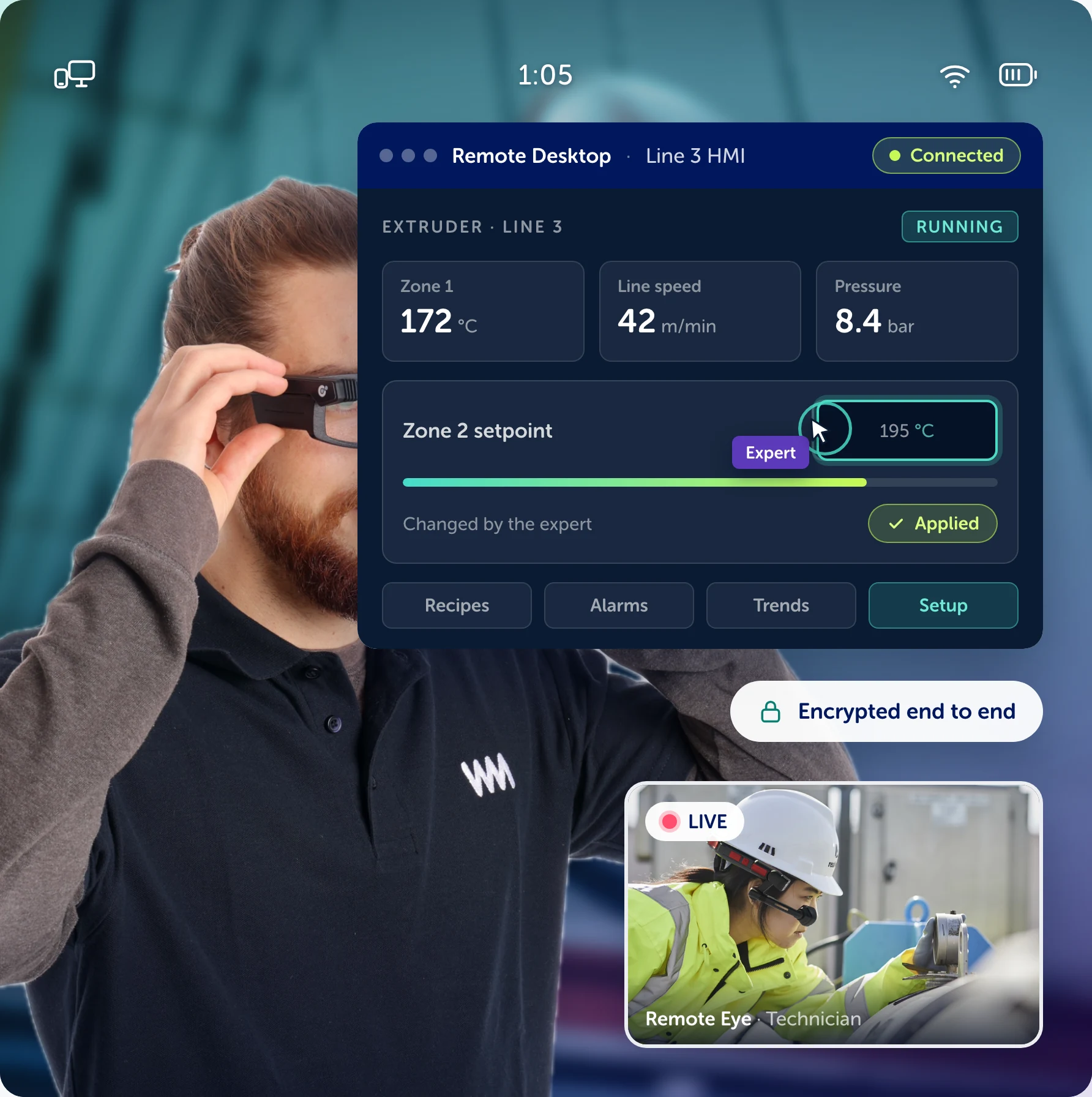
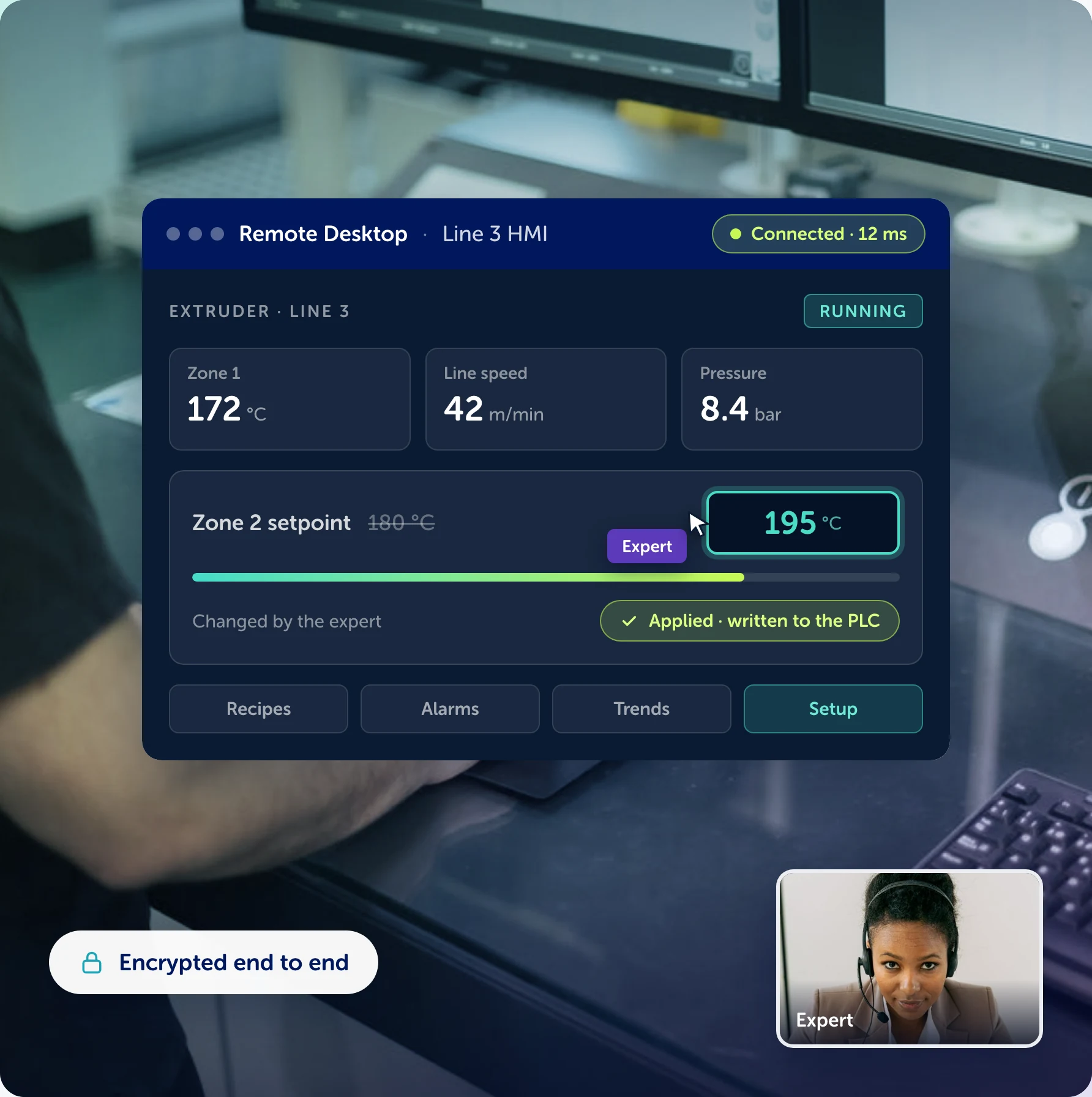


The remote desktop add-on for Remote Eye. Your expert takes control of the HMI, the PLC software or any PC next to the technician, from the same call: mouse, keyboard, files and clipboard, on any operating system. Encrypted end to end, with no ports to open, on our cloud or on your own servers.

Try Remote Desktop for 15 days:


    They already work with Wideum
    HOW IT FITS

    Remote Desktop extends Remote Eye


    Remote Eye is the platform: live video assistance with AR, so your expert sees what the technician sees. Remote Desktop is the add-on that lets that same expert take the controls of the computer next to the machine — the HMI, the PLC software, a laptop on the bench — without a second tool, a second account or a second call. Same users, same licence, same security, on our cloud or on your own servers.

    The platform: Remote Eye


    Live video assistance with AR on desktop, mobile and smart glasses: the expert sees exactly what the person on site is seeing.

    The add-on: Remote Desktop

    Full remote control of the machine’s PC: the expert changes the parameter, loads the recipe or updates the software while the technician watches.

    One call

    Camera and desktop in the same session, with the same permissions, the same recording and the same report at the end.

    More than screen sharing

    What it solves on top of Remote Eye

    The fix is in the software, not in the hands

    The technician has the camera on the machine, but the parameter that has to change is on a screen only an expert knows. Now the expert changes it.

    A site visit for a settings change

    Loading a recipe, updating a driver or checking a PLC used to mean a trip. With Remote Desktop it is a few minutes in the same call.

    Screen photos over the phone

    No more photographing the HMI and reading values aloud: the expert sees the real screen and works on it directly.

    How it works

    1. The technician opens Remote EyeOn the smart glasses, the phone or the tablet. The expert sees the machine and talks to the technician, as always.
    2. The expert asks for the machine’s PCThe technician accepts on screen; on authorised machines, the expert connects unattended. Mouse, keyboard, files and clipboard.
    3. The change is made and loggedParameter, recipe, driver or software: the expert does it live, the technician watches, and the Remote Eye report records it.

    Our features

    Everything a remote desktop does, inside a Remote Eye call.

    Full control of the machine's PC


    Mouse and keyboard on the HMI, the PLC software or any desktop next to the machine, while the technician watches.

    Unattended access to authorised machines


    Connect to the machines you have been authorised on, without anyone on site. Every session is logged.

    File transfer and clipboard


    Recipes, calibration files, manuals: send them to the machine, or copy and paste between the two screens.

    Multi-monitor and any OS

    Switch between the machine's screens; Windows, macOS, Linux, Android and iOS.

    End-to-end encrypted, on-prem available

    No ports to open, no VPN. ISO 27001, SOC 2 and GDPR. On our cloud or on your own servers.

    Camera and desktop in the same call

    The technician's camera and the machine's screen side by side, with one report at the end.

    We implement Remote Desktop in your company

    Onboarding

    A tailored demo and guided activation: we install the agent on your first machines with you.

    Customer Success Program

    An implementation plan built around your machines and your IT rules, with a team that follows it through.

    Flex Support 24x7

    Our Customer Care team, reachable 24x7 for any question or incident.

    Security and Compliance, inherited from Remote Eye

    Remote Desktop runs on the same platform as Remote Eye, with the same hosting, the same encryption and the same certifications — or on your own servers, if you prefer. Sessions are encrypted end to end, need no open ports, and every connection is authorised, logged and recorded. See Remote Eye for the full picture.

    Encrypted data

    TLS 1.2 in transit and AES-256 at rest.

    Cloud Services

    Hosted on AWS (SOC 1, SOC 2 type 2, SOC 3; ISO 27001, 27017 and 27018). On-premise also available.

    Firewall

    Intrusion detection and prevention with Trend Micro Cloud One, on top of AWS security and firewall.

    Backups

    Three backups a day, each one on servers from a different provider.

    ISO 27001 and SOC 2

    Wideum is ISO 27001 and SOC 2 certified: audited policies, procedures and controls.

    GDPR compliant

    Data processing agreements, EU hosting and the right to erasure, by default.

    IN THEIR OWN WORDS

    What our customers say