How to connect the Realwear Arc 3 to internet

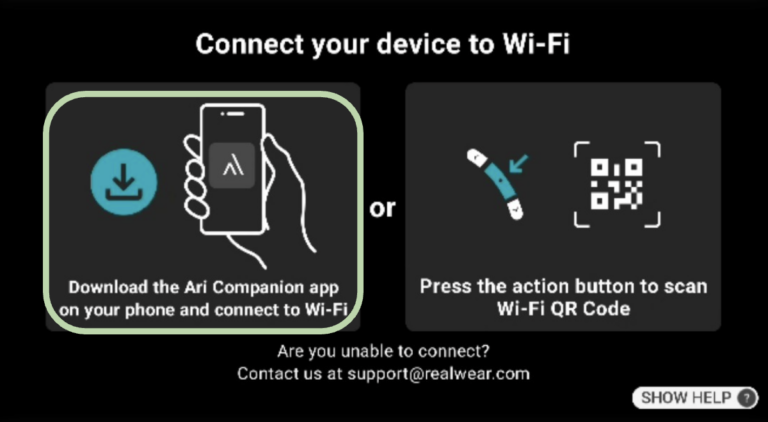
Scan QR code on device

Using the RealWear Ari Companion App

OPTION 1. Scan QR Code on device

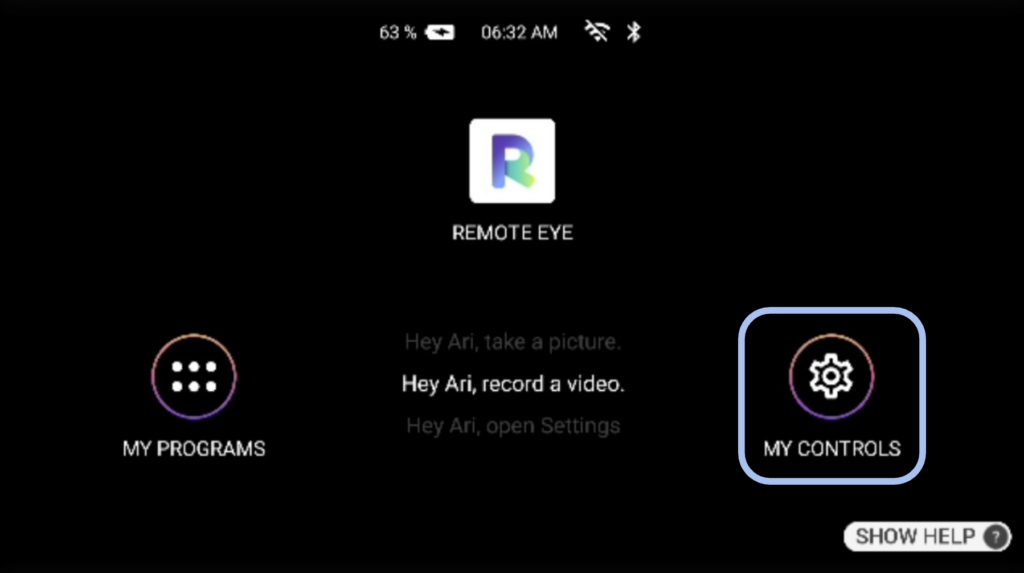
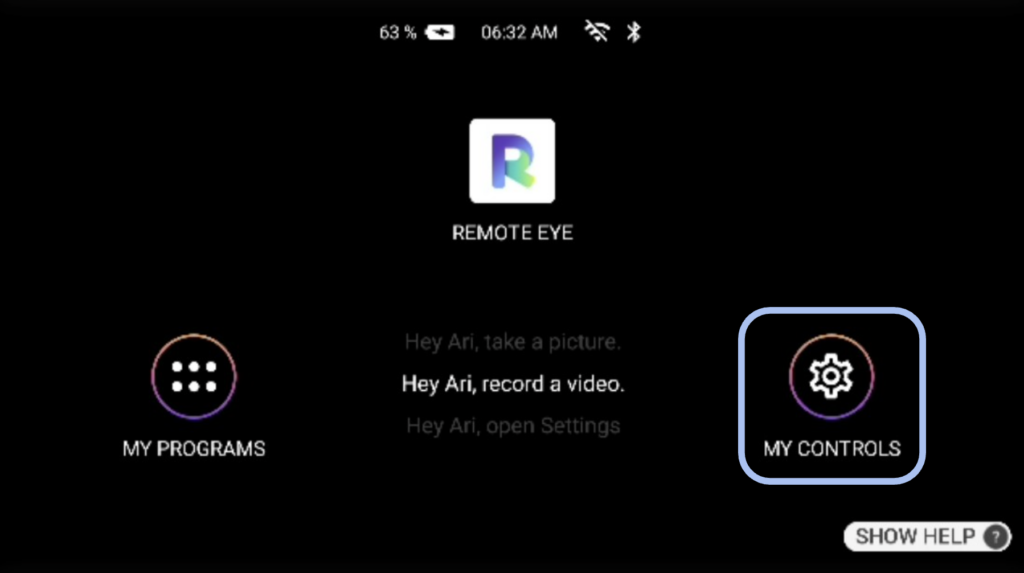
1. On the main menu say “My Controls”.


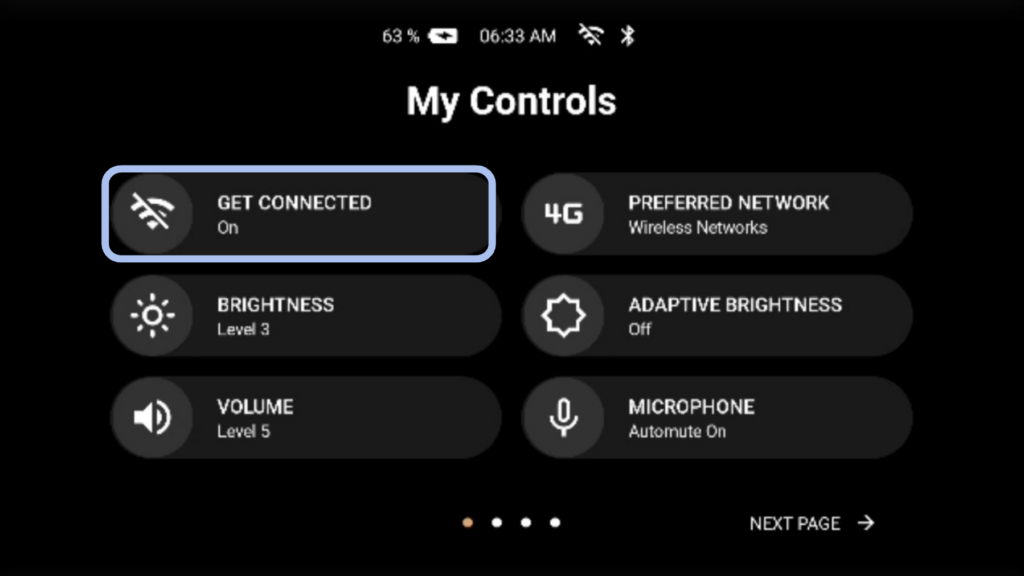
2. Say “Get Connected”.

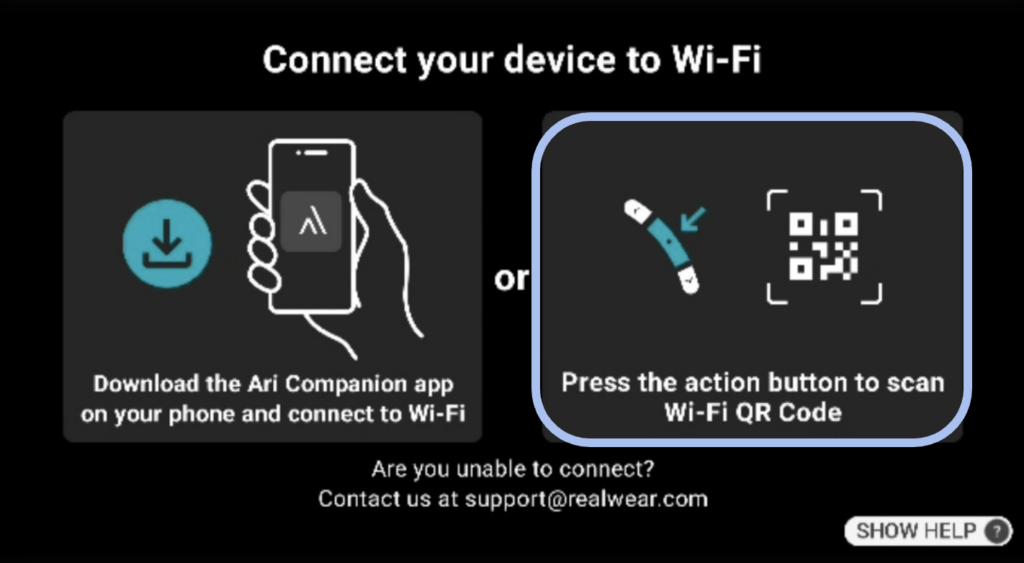
3. Press the action button to scan your Wifi QR code directly (Method 1).
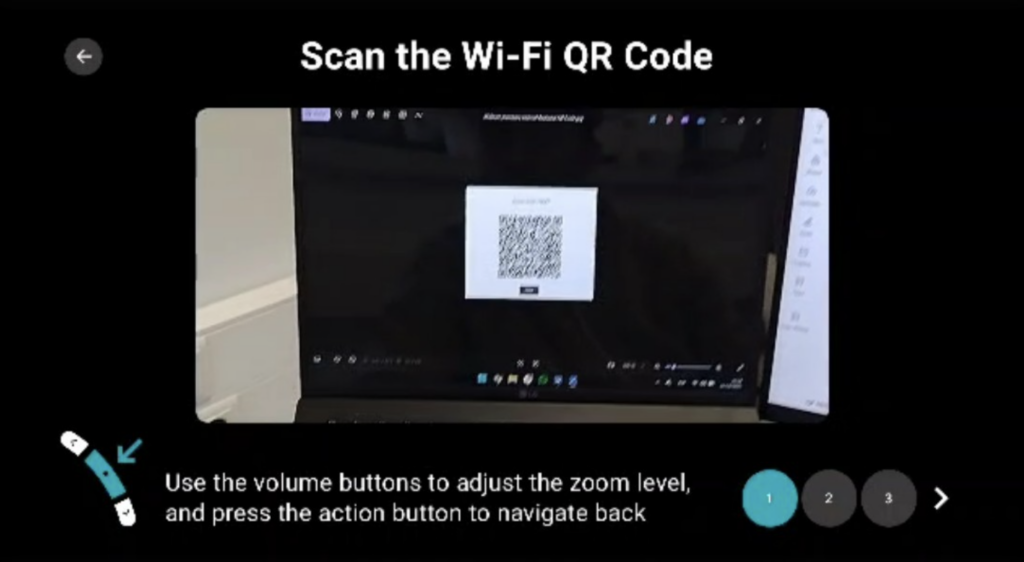
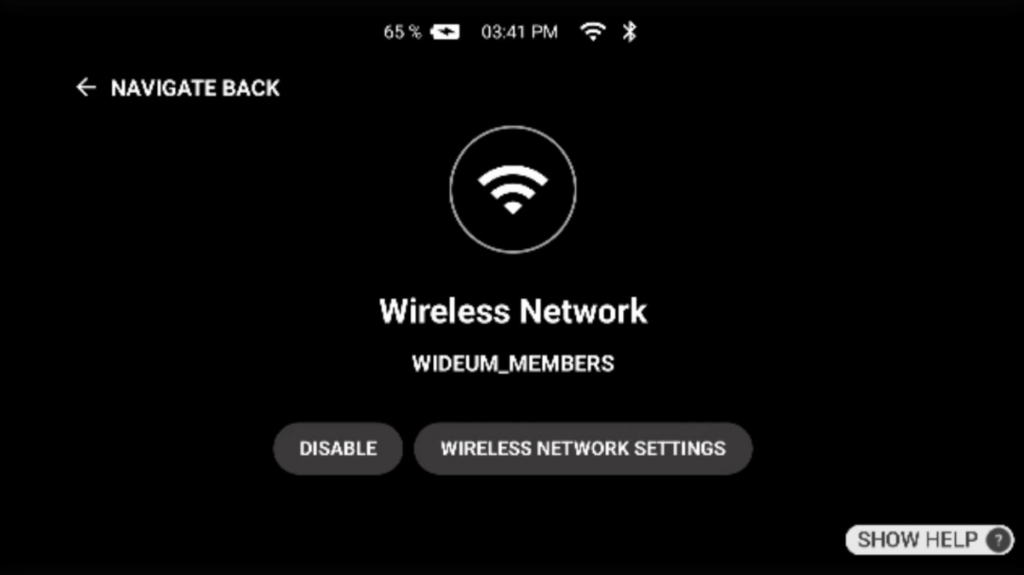
4. Scan the internet’s QR code, once scanned it will appear as “connected”.
5. Your network name will appear once connected

OPTION 2. Using the RealWear Ari Companion App

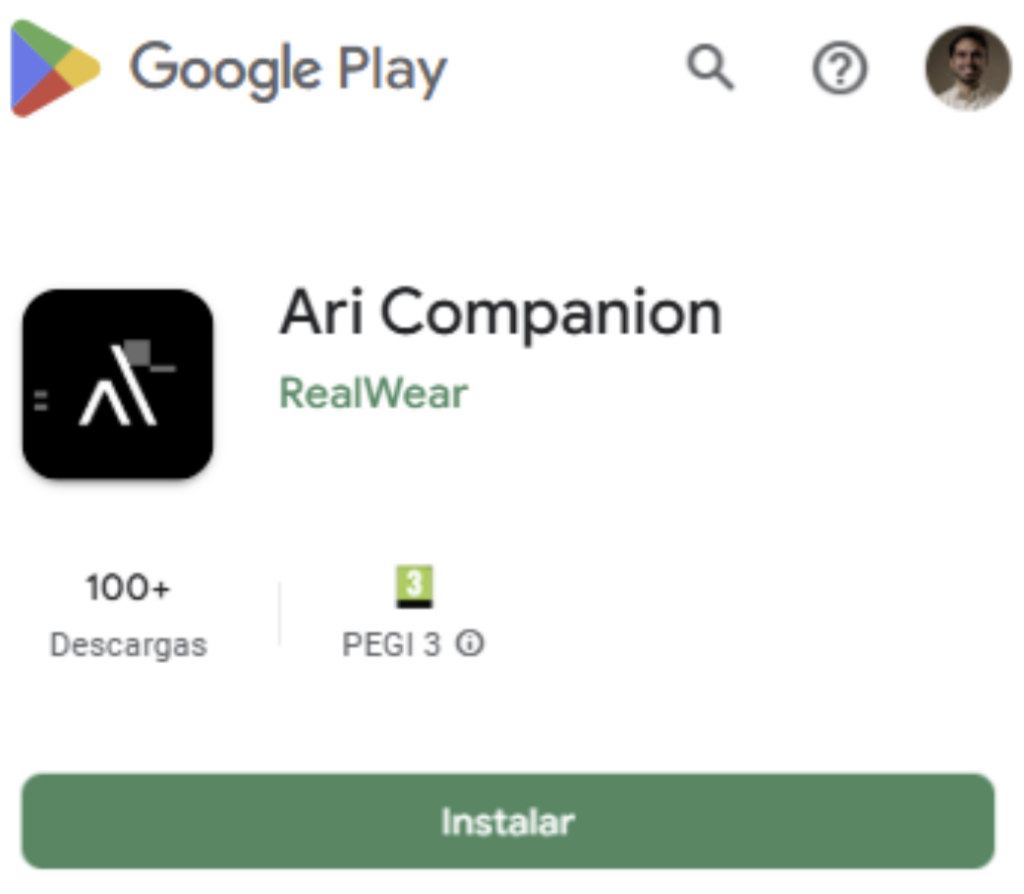
Step 1: Download the Realwear Ari Companion App.
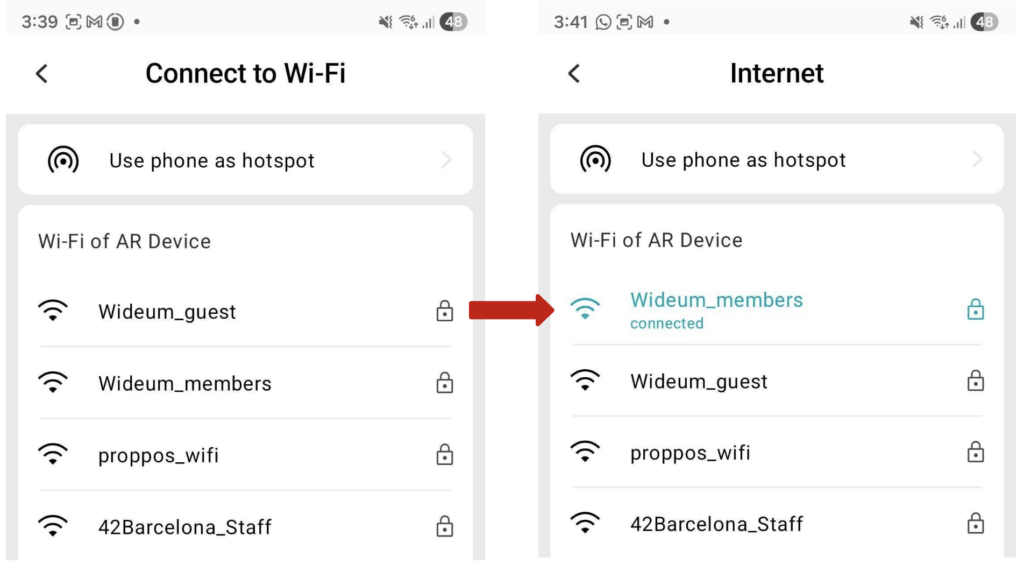
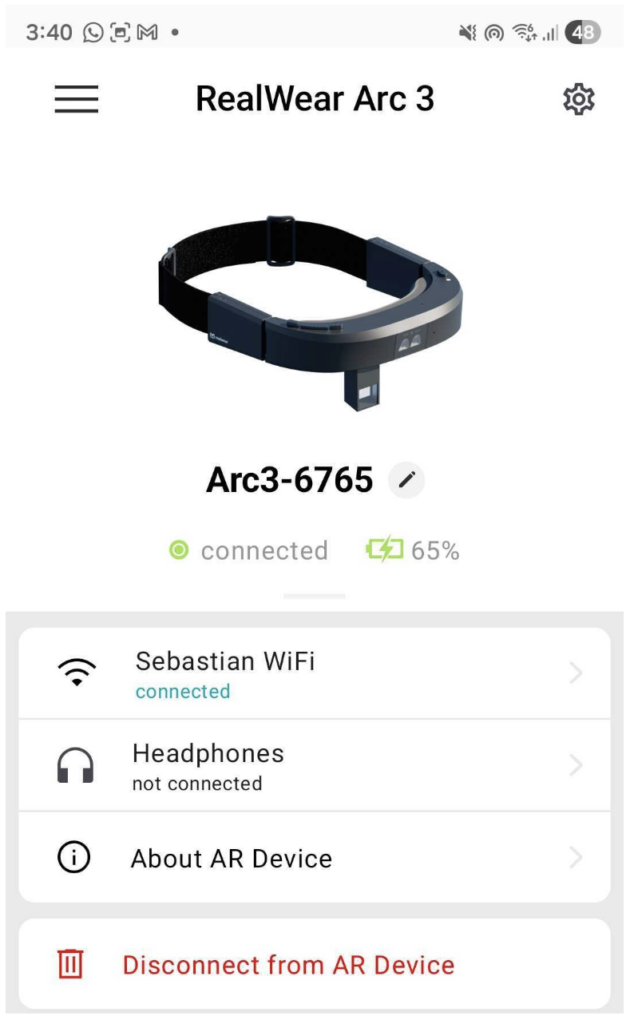
Step 2: Once you have the app on your device, turn on the Arc 3 device and the app will detect it automatically. Click on the smartglasses to connect your Wi-Fi to it.
Step 3: Select your Wifi network and enter password. Once connected it will appear in green as “connected”.
Step 4: On your device information you can also check the network connection information.

Know more

RealWear Arc 3 FAQ

The RealWear Arc 3 represents a major design shift for the company. While previous models like the Navigator 500 and 520 utilized a boom-arm with an opaque LCD pod, the Arc 3 introduces a transparent, see-through micro-OLED display with Full HD (1920×1080) resolution. This delivers a “double retina resolution” digital overlay directly into the user’s line of sight without blocking their situational awareness.
It is also substantially sleeker and lighter—weighing just 175–179 grams—and upgrades to a dual-camera system (50 MP main lens and 8 MP wide-angle lens) driven by Ari OS 2.0 (built on Android 13).

Yes, it is entirely hands-free. The device relies on a 100% voice-driven user interface and supports over 200 voice-optimized enterprise apps, including remote mentor software like Microsoft Teams. To tackle noisy factory floors, the Arc 3 is engineered with four digital microphones and advanced active noise cancellation (ANC). Its speech recognition engine remains highly accurate even in environments with ambient noise scaling up to 100 dBA, meaning workers don’t have to shout to execute commands.

Comfortable deployment alongside safety gear is one of RealWear’s core strengths. The Arc 3 features an ultra-compact, glasses-like form factor designed to integrate smoothly with standard field gear:
Eye Protection: Fully compatible with standard safety glasses and prescription eyewear.
Headwear: Fits easily under hard hats, safety helmets, and caps.
Hearing Protection: Designed to accommodate Peltor-style over-ear hearing protection as well as standard Bluetooth earbuds.

The Arc 3 is equipped with a 2000 mAh lithium-polymer battery. In continuous, high-demand field scenarios (such as constant live video streaming), the battery lasts roughly 2 to 3 hours. To offset this, RealWear designed the companion Arc 3 Base Charging Station. The device supports rapid charging, allowing it to juices up from 20% to 80% in just 25 minutes, making it easy to swap or top off between shifts.

Even though it has a much slimmer, lighter form factor (179 grams) compared to older heavy-duty headsets, the Arc 3 does not compromise on industrial durability. It is constructed from LEXAN™ EXL9330, an advanced, impact-resistant engineered plastic. Its rugged credentials include:

Environmental Protection: It carries an IP54 rating, certifying that it is protected against dust ingress and water splashes from any angle—making it perfectly safe for use in rainy outdoor conditions or dusty warehouses.

Shock Resistance: It features a 1-meter drop rating directly onto concrete, ensuring it survives the typical bumps and drops of a fast-paced industrial environment.

Temperature Range: The device is built to operate reliably in intense climates, maintaining full performance in temperatures ranging from -20°C up to 45°C (-4°F to 113°F).